Zume Editor is a feature-rich desktop editor built in C++. Open 10 GB+ files instantly, edit with multi-caret and column mode, and get a built-in Git client, terminal, SSH, SFTP, database tools, Cloud Drive, Diff, CSV grid editing, binary editing, AI integration (MCP), a CLI mode and file-format conversion — all in one app, on Windows, macOS and Linux.
Public beta available now — free to use with all features until 2027-03-31
30-day free trial · 14-day money-back guarantee · one license, all platforms.
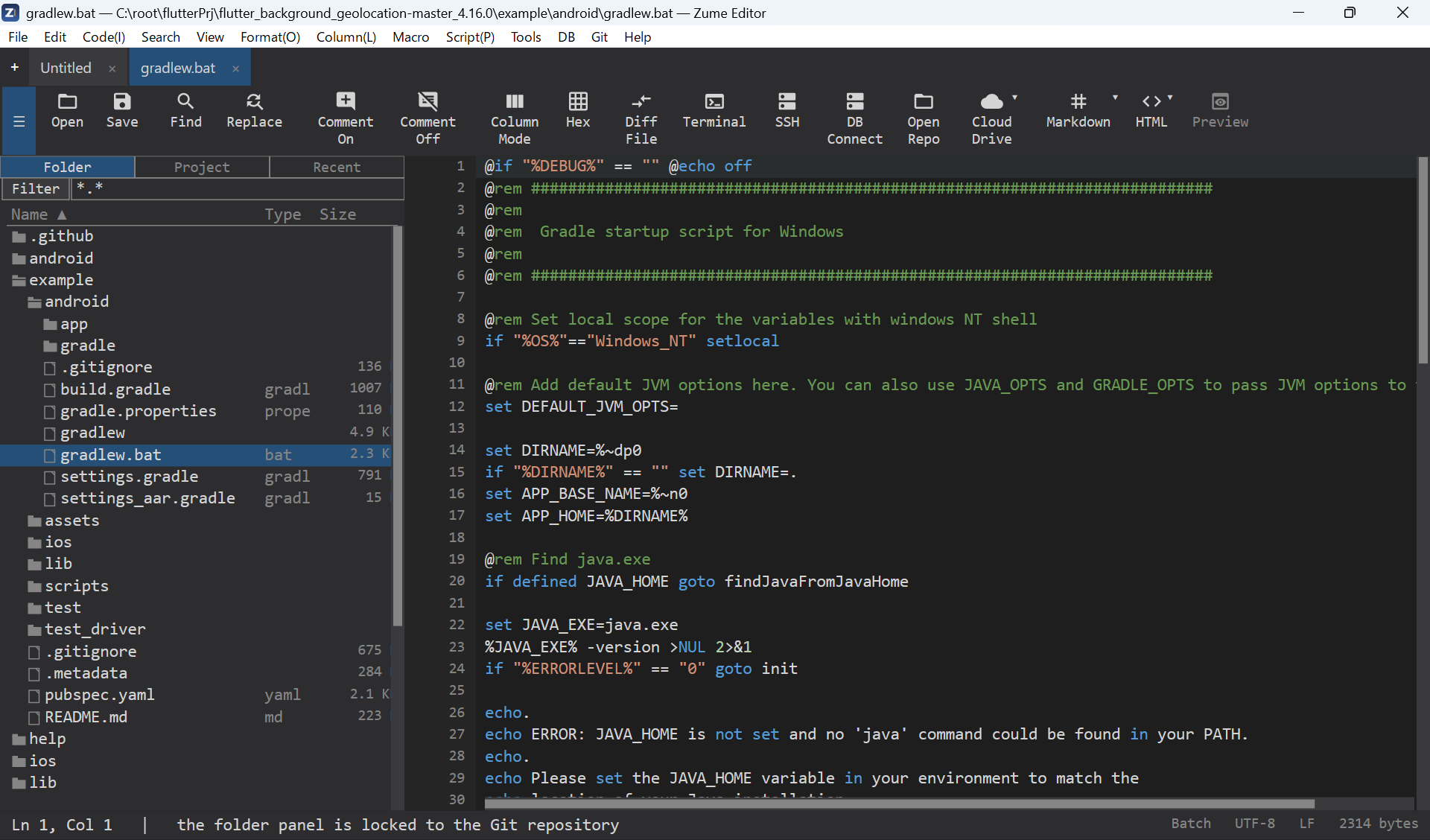
From gigabyte log files to source trees, binaries, remote servers and databases — Zume Editor replaces a stack of separate tools with a single fast, native application.
Written in C++ with native rendering (Direct2D / Core Text / GTK), not Electron. Instant startup and smooth scrolling even on huge files.
A memory-mapped, piece-table engine opens, searches, edits and saves multi-gigabyte files without loading them into RAM.
Full hex editing with offset, ASCII and EBCDIC columns, byte find & replace, and shared undo with the text view.
Syntax highlighting for dozens of languages, code folding, an outline / function list, bracket matching and language-aware auto-indent.
Edit many places at once, select rectangular blocks, fill and number columns, and align on a delimiter - all as one undo step.
Literal and PCRE2 regular-expression find & replace, Find in Files and Replace in Files across a project, with capture groups.
A full Git workspace - stage, commit, branch, log graph, diffs, merge-conflict resolution, fetch / pull / push - inside the editor.
A built-in terminal, an SSH shell, and remote file editing over SFTP / FTP / FTPS.
Browse and query SQL databases (MySQL, PostgreSQL, SQL Server, SQLite) and NoSQL stores (Redis, MongoDB) from the editor.
Side-by-side file & folder compare with merge, plus a CSV / TSV grid editor for tabular data.
Convert geo data between GeoJSON, WKT, KML, GPX and CSV, reproject coordinates, and compute distance / area.
Recordable macros, a sandboxed Lua scripting API, an MCP server for AI agents, and a zume-cli command-line tool.
One license covers all three platforms. No runtime to install — the release build is fully self-contained.
One plan, every feature, all platforms. Try it free for 30 days — pay only when it earns a place in your workflow.
Download the full editor and use every feature for 30 days. Activate any time with a license — your work is never locked up.
Windows (ZIP / installer) · macOS (DMG) · Linux (DEB / RPM / AppImage).
Zume Editor is an annual subscription at $49 per user, per year, billed through Paddle. It includes every feature on Windows, macOS and Linux, plus all updates released during your subscription.
Yes — a 30-day free trial of the full editor. No credit card is required to try it. You can purchase and activate at any time.
We offer a 14-day money-back guarantee. If you are not satisfied, email support@smolt-stage.com within 14 days of purchase for a full refund. See our Refund & Cancellation Policy.
A single-user license is for one person and can be activated on up to 3 of your own computers (Windows, macOS and Linux), including commercial use. If you replace a computer, you can deactivate the old one to free a slot. For more than one person, or shared / server use, a license per user or a volume license is required — contact us.
You can cancel at any time; your subscription stays active until the end of the paid period and is not renewed afterwards. Details are in the Refund & Cancellation Policy.